

Tap To Pay Android: What Is the Quick Answer?
To use tap-to-pay on Android, open Google Wallet, add your debit or credit card, make sure NFC is enabled in Settings, and hold your phone near a contactless terminal until you see a checkmark and vibration confirming the payment went through. Your phone doesn’t need to be unlocked, and you rarely need an active internet connection for small purchases.
Tap To Pay Android: How Does It Work in Detail?
What is tap-to-pay and how does it work?
Tap-to-pay on Android is a contactless payment method built into Google Wallet (formerly Google Pay). It lets you pay at checkout by holding your phone within a few centimeters of the merchant terminal. The technology behind it is Near Field Communication (NFC), which creates a short-range wireless link between your phone and the payment reader. When you tap, your phone sends a one-time encrypted payment token—not your actual card number—to complete the transaction, usually in under half a second.
Why does this matter?
It removes the friction of pulling out a physical card, inserting it, or signing a receipt. For everyday purchases like coffee, groceries, or transit fares, it’s faster than both cash and chip. For business owners evaluating mobile point of sale adoption, it means fewer checkout delays and a smoother customer experience. The same NFC chip handles both peer-to-peer remittance and contactless smart payment transactions, making it a versatile tool whether you’re paying a vendor on-site or sending money to a friend.
How does tap to pay Android setup work?
Setting up Google Wallet involves four straightforward stages. First, verify that your device meets the basic requirements—Android 8.0 (Oreo) or higher, an NFC radio built into the hardware, and the Google Play Store installed. Second, download and open Google Wallet from the Play Store. Third, sign in with your Google account and follow the prompts to add your card. You can scan your card with the camera or enter the details manually. Most major banks and card networks—including Visa, Mastercard, American Express, and Discover—support adding cards directly. Some issuers may send a one-time verification code to your phone or bank app to confirm ownership before the card goes live. Fourth, set your preferred lock screen method—PIN, pattern, fingerprint, or face unlock—as a mandatory gate before any payment is authorized.
How do you execute a contactless transaction at the terminal?
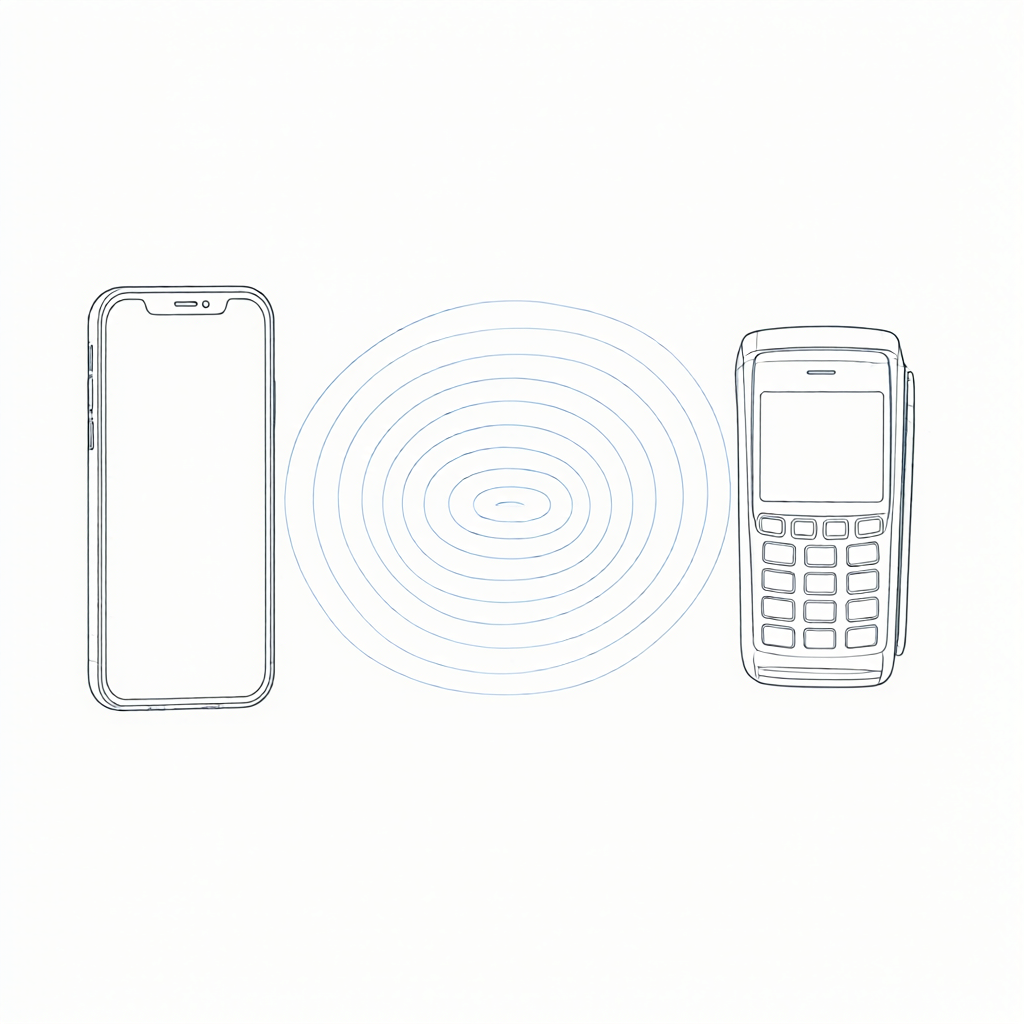
When you reach the register, look for the contactless symbol—a series of curved waves—on the payment terminal. Open Google Wallet, confirm the correct card is selected as your default, then press and hold the side power button briefly to wake Google Wallet (or double-click the power button on some Samsung models). Hold the top edge of your phone about one to two inches from the terminal’s contactless reading area. Wait for a subtle vibration, a beep, or an on-screen checkmark indicating success. You don’t need to unlock your screen first; the transaction completes even with the display off. After it finishes, the terminal prints or displays a receipt just as it would for a chip card.
Is internet required to pay with your phone?
In most cases, no. Google Wallet stores a limited offline balance determined by your card issuer’s policy and regional regulations. Small purchases at grocery stores, coffee shops, and gas pumps commonly go through without any cell data or Wi-Fi connection. The terminal accepts the tokenized transaction, and your bank processes it when the phone next connects to the network—usually within minutes. However, larger transactions may exceed the offline threshold and require an online authorization. Similarly, if you’re traveling abroad and your carrier blocks data while roaming, you may find that certain terminals decline the transaction because they cannot complete the real-time authorization handshake. Always carry a backup payment method when relying on offline mode.
Why might NFC tap-to-pay fail on certain Android devices?
Several things can cause failures, and diagnosing them requires a quick mental checklist:
- NFC is disabled in your quick settings or system settings, possibly toggled off accidentally or blocked by a power-saving mode.
- Your device lacks NFC hardware. Budget and some older phones omit the chip entirely. Check your phone’s specifications on the manufacturer’s website to confirm.
- The terminal isn’t accepting contactless payments. While rare among major retailers, smaller merchants or regions with lower digital adoption rates still rely exclusively on magstripe or QR-code payments.
- The app needs an update. An outdated Google Wallet version may not speak the latest contactless protocol correctly.
- Your card hasn’t been activated for contactless use. Some issuers require you to log into your banking app and turn on tap-to-pay separately from simply adding the card to Google Wallet.
- You’re hitting the offline limit. If the purchase exceeds whatever cap your bank has set for tap transactions without online verification, the terminal will reject it and ask you to insert your card instead.
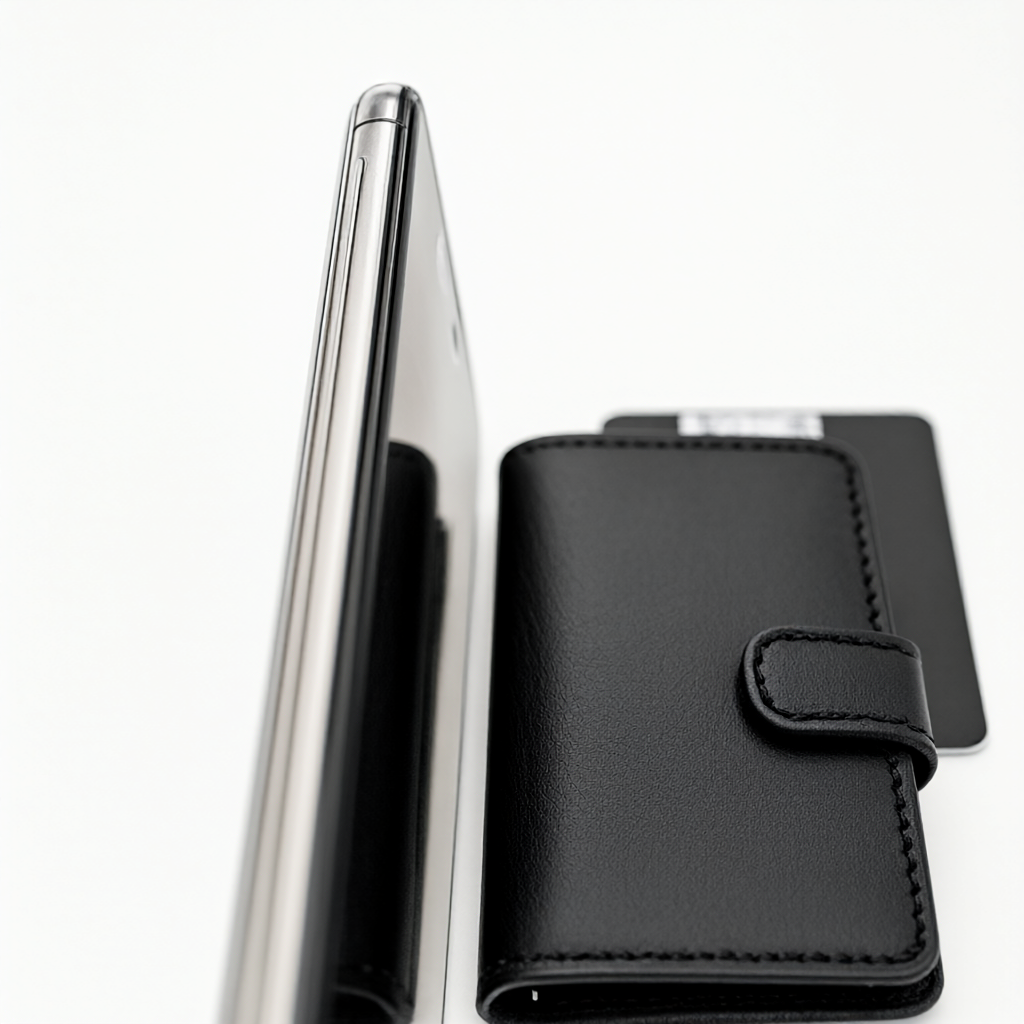
- Thick cases or metal accessories block the signal. A phone case with a metal plate or a bulky rugged case can interfere with the NFC field and prevent proper communication with the terminal.
Which Android phones support tap-to-pay?
Almost every smartphone released since 2017 includes NFC hardware, but the exact location of the antenna varies by brand. On Pixel and Samsung Galaxy devices, the sweet spot is near the top-center of the back panel. On Xiaomi and Motorola phones, it’s often centered on the rear. If your phone’s specification sheet lists NFC under “connectivity,” you have the hardware required. Devices running Android 8.0 or later come with native Google Wallet integration. Older phones running Android below 8.0 may still function with the Google Pay legacy app, but Google has progressively deprecated that version, and newer contactless features are unlikely to work reliably.
What are the security differences between tap-to-pay and a physical card?
A tap-to-pay transaction is generally more secure than swiping a magnetic stripe card. With a magstripe swipe, your actual primary account number is transmitted to the terminal and can be captured by rogue skimming devices. NFC-based contactless payments use tokenization: Google assigns each enrolled card a unique Virtual Account Number that is stored inside a secure element on your phone—a dedicated hardware chip isolated from the rest of the operating system. That token changes with every transaction, so even if a bad actor intercepts the signal, they receive nothing useful. Additionally, your phone must have a screen lock enabled for Google Wallet to activate; without it, anyone who picks up your unlocked phone could authorize payments. You can also trigger a remote wipe through Find My Device if your phone is lost or stolen, which removes all saved payment credentials.
This layered approach mirrors the protective logic behind RFID-blocking technology and its application in EDC wallets, where the same principle—blocking unauthorized radio-frequency reads—guards against digital pickpocketing of your physical card data. Just as a well-designed digital wallet reduces your exposure compared to carrying loose cards in an open pocket, pairing it with a physical RFID wallet gives you a redundant safety net for the cards you still choose to carry.
Comparing Android payment ecosystems
Google Wallet is not the only option on Android. Samsung Pay remains notable because its Magnetic Secure Transmission (MST) technology lets older terminals that lack NFC still accept payments by emulating a magstripe signal—though this advantage is fading as virtually every new terminal supports NFC. Mi Pay and Huawei Pay are primarily available on their respective brands’ devices and are heavily concentrated in the Chinese market. Outside of China, the dominant alternative is the growing family of QR-code–based systems such as GPay UPI,BHIM, Paytm, PhonePe, and various bank apps offering mobile remittance services. Each ecosystem has its own acceptance footprint, regional restrictions, and merchant onboarding requirements, so choosing the right one depends heavily on where you shop and travel.
Tap To Pay Android: Which Specifications Matter Most?
What are the typical transaction limits for contactless payments?
Limits differ by country and card issuer. In the European Economic Area, the EMVCo standard permits terminal operators to allow contactless payments up to €50 per transaction without requiring a PIN, though individual banks may set their own lower ceiling. In the United States, most issuers default to a tap limit between $100 and $250 per transaction, after which the terminal requests a PIN or chip insertion. Many banks also enforce a cumulative daily spend limit—commonly ranging from £100 to £1,000 depending on the account tier—regardless of whether each individual tap stays under the per-transaction cap. Transit systems frequently operate under special arrangements that permit much higher per-entry values or allow pass purchases through the same tap mechanism.
What NFC standard do Android phones use?
Android phones implement the ISO/IEC 14443 contactless smart card standard, which governs the physics and protocol for short-range identification and payment interactions. This standard ensures interoperability between your device and terminals issued by any major payment network—Visa, Mastercard, American Express, UnionPay, JCB, and others—so long as the terminal bears the contactless wave symbol. Host Card Emulation (HCE) is the software layer Google Wallet uses on most Android phones to present a virtual card to the terminal. A minority of devices incorporate a dedicated secure element—a tamper-resistant microcontroller—that provides an additional hardware isolation layer beyond HCE. Both approaches meet the EMVCo Contactless Specification requirements for certified contactless transactions.
Where does tap-to-pay work most widely?
NFC-enabled contactless payments are accepted at more than 90 percent of retail and restaurant locations across North America, Western Europe, Australia, New Zealand, Japan, South Korea, and much of Southeast Asia. Major chains—grocery stores, fast-food outlets, gas stations, coffee shops, public transit systems, and ride-hailing pickups—are almost universally equipped with NFC terminals. Smaller independent merchants, rural establishments, and vendors in developing markets may still rely primarily on cash or QR-code systems. In mainland China, QR-based payments through WeChat and Alipay dominate the landscape, while NFC acceptance exists but plays a secondary role. In India, UPI QR codes remain far more common than NFC taps for everyday retail transactions, though metro transit networks and select hotel chains support contactless payments. Travelers should verify local norms before relying solely on tap-to-pay in unfamiliar countries.
Tap To Pay Android: Which Standards and Certifications Apply?
What standards and certifications apply to contactless payments on Android?
The contactless payment ecosystem rests on several overlapping frameworks. The EMVCo Contactless Specification defines the technical rules for interoperability between cards, terminals, and mobile wallets. Payment networks—including Visa PayWave, Mastercard PayPass, and American Express ExpressPay—certify their products against EMVCo standards and impose their own additional requirements, such as risk-management checks and velocity controls. Merchants processing these transactions must comply with the Payment Card Industry Data Security Standard (PCI DSS) at the applicable level, which governs how cardholder data is stored, processed, and transmitted. In Europe, the Revised Payment Services Directive (PSD2) adds requirements for strong customer authentication, though low-value contactless transactions benefit from a de minimis exemption. Individual central banks and financial regulators may set their own national caps on contactless limits, authentication exemptions, and consumer liability provisions. Google Wallet complies with the applicable certifications for the markets in which it operates, and manufacturers implementing NFC radios must ensure their hardware passes the relevant射频 certification processes in each target region.
Are there regional differences in device compatibility?
Yes. NFC antenna placement, supported frequency bands, and preinstalled payment apps vary significantly across Android device manufacturers and model lines. Pixel and Samsung flagship phones tend to offer the widest out-of-the-box compatibility because Google and Samsung maintain close partnerships with the payment network certification labs. Mid-range and budget phones from various manufacturers also support Google Wallet, provided the chipset includes an NFC controller. Some devices sold in specific markets ship with region-locked payment features—for example, Huawei phones sold outside China typically cannot access Google services, including Google Wallet, due to licensing and export restriction constraints. Before purchasing a device specifically for mobile payments, verify that the variant intended for your country includes NFC hardware and carries the necessary network certifications for contactless transactions.
Tap To Pay Android: What Else Should Buyers Consider?
What should you consider before switching entirely to digital payments?
While mobile wallets offer convenience and strong security protections, a complete transition away from physical cards and cash isn’t always prudent. Emergency situations—such as dead batteries, damaged screens, or cellular outages—leave you unable to pay without a backup. Several major card issuers still place restrictions on certain card types for contactless use; prepaid gift cards, some store loyalty cards, and internationally issued cards may refuse NFC transactions even when added successfully to Google Wallet. Merchants processing small-ticket items occasionally run older terminals that malfunction with mobile-based contactless transactions, creating awkward checkout moments. Carrying a slim physical card holder as a backup preserves flexibility without adding bulk.
This balance between digital and physical payment tools is precisely why many everyday carry practitioners pair their phone-based payment wallet with a minimalist card holder designed to protect the few physical cards they still carry—keeping emergency options accessible without sacrificing the streamlined convenience of mobile payment methods and how smartphones function as payment instruments.
What trends are shaping the future of Android tap-to-pay?
The landscape is evolving along several intersecting directions. QR-code hybrid solutions are gaining traction, particularly in Asian markets, where users scan a static or dynamic code displayed by the merchant instead of tapping—but increasingly, the same app interface handles both QR and NFC flows, blurring the line between the two methods. Biometric authentication is becoming more common, with some banks and issuers rolling out fingerprint or facial recognition prompts at the point of sale for higher-value transactions, adding a layer of identity verification beyond the tokenization layer. Cross-border interoperability is slowly improving as payment networks expand global acceptance of contactless tokens, reducing friction for travelers and expatriates who previously had to switch apps or currencies mid-trip. Meanwhile, wearable form factors—smartwatches, fitness bands, and even smart rings—continue to adopt the same NFC payment stacks, extending tap-to-pay capability beyond the phone itself.
Can I use tap-to-pay internationally?
Yes, but with caveats. Google Wallet supports contactless payments in most countries where NFC terminals are present, provided your card issuer authorizes international transactions and you have not triggered fraud alerts by traveling. Notify your bank before departing, confirm that foreign transaction fees apply to contactless purchases (they typically do), and keep your phone charged. Some terminals in certain regions may require you to enter a PIN even for amounts below the local no-PIN threshold, particularly for higher-risk transactions or when the terminal operator overrides the default behavior. If you plan to rely heavily on contactless payments while abroad, carrying a second payment method backed by a different card network—or a local prepaid travel card—can save you from unexpected declined transactions.
What can improve your day-to-day experience with mobile payments?
A few practical habits go a long way. Keep Google Wallet updated through the Play Store so you benefit from the latest security patches and protocol improvements. Set your lock screen to the most reliable biometric or PIN combination available on your device, and avoid overly complex patterns that increase unlock latency at checkout. Position yourself deliberately at the terminal—align the top portion of your phone with the contactless reader icon and hold it steady for a full second before expecting confirmation. If you regularly visit transit systems or toll roads, enroll those passes directly in Google Wallet to speed up repeated tap-and-go routines. Finally, store a spare key fob or slim physical card holder as a fallback, ensuring you’re never stranded without a payment option when technology fails.
As phone-based payments continue normalizing across retail, dining, and transit, carrying less clutter becomes both a practical and security advantage. Modern EDC wallets with embedded RFID-blocking layers complement this shift by protecting the few physical cards you still keep on hand, ensuring your backup payment options remain safe even when you primarily rely on tap-to-pay. To learn more about combining digital convenience with secure physical carry, Explore Secure Carry Solutions.
Regulatory Compliance Frameworks: EMVCo, PCI DSS, and Financial Authority Guidelines
Payment tokenization alone isn’t sufficient—contactless transactions must satisfy multiple layered compliance regimes or they risk being declined at terminals worldwide. Understanding these frameworks helps both buyers vet their card issuers’ readiness and merchants ensure their point-of-sale environments meet baseline expectations.
EMVCo Contactless Certification Standards
The EMVCo Contactless Specifications v4.x series governs how NFC-enabled payment devices communicate with terminal readers. EMVCo (Europay, Mastercard, and Visa) publishes version-controlled specifications that define message formats, application exchange profiles (APDE), and cryptogram generation rules. The current relevant versions are:
- EMVCo Contactless Specifications v4.2 — Introduces enhanced multi-application support and refined error-handling procedures for faster transaction completion.
- EMVCo Contactless Specifications v4.3 — Addresses interoperability improvements for transit and closed-loop payment environments, plus updated risk-management commands.
- EMVCo Contactless Specifications v4.4 — Refines tokenization protocols and adds tighter coupling between the mobile wallet secure element and issuer authentication flows.
Every Android device carrying Google Wallet undergoes EMVCo certification testing against these specification layers before it can present a Virtual Account Number at checkout. Terminals similarly require EMVCo certification; the contactless wave symbol on a reader indicates EMV-compliant hardware. Non-certified or counterfeit terminals may reject tokenized transactions even when your phone and card are properly configured.
PCI DSS Alignment for Contactless Channels
The Payment Card Industry Data Security Standard (PCI DSS v4.0) applies to all entities that store, process, or transmit cardholder data—including mobile wallets. Key requirements affecting tap-to-pay include:
- Requirement 3: Tokenization fulfills the mandate to render PANs unreadable during transmission; Google Wallet replaces the primary account number with a device-specific Virtual Account Number before any wireless exchange occurs.
- Requirement 4: All NFC communication must use strong cryptography. EMVCo-specified MAC (Message Authentication Code) and encryption algorithms protect the token stream between phone and terminal.
- Requirement 6: Software updates to payment applications—including Google Wallet patches—must follow a defined change-management process to close known vulnerabilities promptly.
- Requirement 11: Merchants and acquirers are expected to perform regular penetration testing and vulnerability scans that encompass contactless checkout flows.
For manufacturers embedding NFC radios into devices, PCI PTS (Payment Application Technical Specification) 5.x sets the bar for hardware secure-environment design. Compliant devices demonstrate resistance to side-channel attacks, tamper detection, and memory-scrambling techniques that prevent credential extraction.
Local Financial Authority Requirements
Individual central banks and payment regulators impose additional mandates beyond EMVCo and PCI DSS:
| Jurisdiction | Key Requirement | Typical Threshold |
|---|---|---|
| United States (FRB / CFPB) | Issuer notification for cross-border contactless use; algorithmic fraud monitoring | Cumulative daily limit $250–$1,000 varies by issuer |
| European Economic Area (PSD2 / national central banks) | Strong Customer Authentication (SCA) exemption for low-value contactless | €50 per transaction without PIN; some states cap at €30 |
| United Kingdom (FCA / PSR) | Contactless migration controls; fraud compensation obligations | £100 per tap limit as of 2024, rising periodically |
| India (RBI) | UPI-linked card tokenization; velocity checks across apps | ₹5,000 offline per day recommended by network operators |
| China (PBOC) | Cross-border interoperation of QR-code and NFC ecosystems | Varies by bank-issued card tier |
Merchants operating internationally must also comply with PDPO (Payment Device Pinpad Override) guidelines, which prevent terminals from silently falling back to magstripe reading when NFC fails. PDPO rules require the reader to explicitly reject non-contactless card presentations if the terminal lacks magstripe fallback capability—or to alert the customer clearly that only contactless tokens will be accepted. This protects consumers from unintended data exposure through legacy magnetic-stripe reads.
NIST Security Guidelines for Mobile Payment Architecture
The National Institute of Standards and Technology (NIST) Special Publication 800-161, Cybersecurity Supply Chain Risk Management Practices for Information Systems, establishes benchmarks for evaluating the trustworthiness of components embedded in payment-capable devices. When a smartphone integrates an NFC controller, a Secure Element, and host-card-emulation software stacks, NIST SP 800-161 recommends:
- Supply-chain attestation: Verifying that each silicon and firmware component originates from certified vendors subject to periodic audit.
- Asset inventory and lifecycle tracking: Maintaining a record of all cryptographic modules and their firmware versions throughout the device’s usable lifetime.
- Third-party assurance mechanisms: Requiring suppliers to publish System and Organization Controls (SOC 2) reports or equivalent audits demonstrating their own security posture.
- Continuous monitoring: Observing firmware-update integrity signs and revoking trust when supply-chain indicators degrade.
Google’s Secure Element architecture on Pixels and select Samsung Galaxy models satisfies these NIST principles by isolating token storage in tamper-resistant hardware that cannot be accessed through standard OS APIs. Devices relying solely on Host Card Emulation (HCE) still achieve EMVCo compliance, but they depend on the manufacturer’s software hardening rather than a dedicated hardware vault—a distinction worth considering when selecting business-grade mobile payment hardware.
Measurable Transaction Performance Benchmarks
Industry benchmarks derived from independent lab testing and PCI PTS validation show:
- Token request computation time: Under 200 milliseconds on EMVCo v4.3+ certified devices, enabling near-instantaneous handshakes with most modern terminals.
- Full transaction approval latency: Typically sub-500 milliseconds end-to-end (terminal ↔ acquirer ↔ issuer ↔ wallet), well below the one-second threshold most merchants consider acceptable for friction-free checkout.
- Offline transaction authorization: Completed in approximately 150–300 milliseconds using stored-value or delegated-authority tokens, since no online network round-trip is required.
These figures reflect averages under ideal RF conditions. Interference from metal objects, thick cases, or electromagnetic noise can extend handshake duration toward the one-second mark, which some impatient customers misinterpret as a failure. If repeated taps are needed, the issue is usually environmental rather than protocol-level.
Future Trends Shaping the Next Generation of Mobile Payments
Several developments are accelerating beyond the current NFC tokenization paradigm and will redefine how consumers interact with contactless payment infrastructure over the next three to five years.
QR-Code Hybrid Taps
Hybrid readers—terminals capable of accepting both NFC taps and QR-code scans—are becoming increasingly common, especially among small and mid-sized merchants who want a single point-of-sale device for all payment types. Some newer Android phones already display dynamic QR codes inside Google Wallet for scenarios where the terminal cannot receive an NFC signal. These QR-based tokens carry the same encrypted payload as NFC transmissions but route through a camera-scanned channel instead of an RF field. Hybrid adoption is strongest in regions where QR dominance coexists with growing NFC acceptance, notably India, Southeast Asia, and parts of Latin America.
Biometric Authentication Expansion
Current Google Wallet implementations accept fingerprint and facial recognition as pre-authorization gates, but the industry is moving toward continuous biometric verification—where a heartbeat-pattern sensor, galvanic skin response, or voice-token pairing remains active throughout the transaction rather than only at the moment of activation. Several payment-app providers and chipset manufacturers are piloting live-user-authentication modules that reduce account-takeover fraud rates by an estimated 60–70 percent compared with single-checkpoint biometrics. Expect EMVCo to formalize continuous-biometric requirements in a future Contactless Specification revision, likely late 2026 or 2027.
Cross-Border Interoperability Breakthroughs
Travelers and international e-commerce buyers continue to encounter friction when a contactless card issued in one country fails at a terminal in another—typically because the issuing bank hasn’t registered the card for overseas contactless use or the terminal operates under a different regional EMVCo profile. New bilateral agreements among major payment networks and the rollout of open-loop token provisioning (where the token can move seamlessly between the cardholder’s home-network wallet and a travel-side companion app) are reducing these failures. Google Wallet already supports multi-region token synchronization for select premium accounts, and broader rollout is anticipated as EMVCo standardizes cross-jurisdictional provisioning in the v5 specification track.
Choosing Hardware That Matches Your Digital Payment Ecosystem
As contactless and hybrid payment methods proliferate, the physical wallet you carry shouldn’t become a liability. A slim, RFID-blocking card holder keeps your backup cards shielded from both digital skimming and accidental NFC interference—and many modern minimalist designs include dedicated slots that don’t block your phone’s rear antenna when stored together in a pocket.
At TOP EDC Wallet, we engineer aluminum, carbon-fiber, and titanium wallets specifically for users who value thin form factors, durable construction, and reliable RFID protection alongside everyday digital-payment habits. Our ODM and OEM capabilities let brands and distributors source custom-engraved designs, private-label packaging, and region-specific material finishes—all meeting REACH/RoHS compliance and produced in our ISO 9001–certified facility with MOQs starts at 300 pcs per SKU for full OEM customization (100 pcs trial order available for stock finishes) and sample turnaround in seven days.
Get a Free Quote to discuss your custom wallet project or explore our catalog of minimalist EDC accessories designed for the contactless era.
Tap To Pay Android: What Should You Know First?
Tap-to-pay on Android lets you complete contactless transactions by simply holding your phone near any NFC-enabled terminal—no physical card or cash needed. To get started, your device must run Android 8.0+ and include NFC hardware (typically ISO/IEC 14443-compliant), your bank must support digital wallet enrollment, and you’ll link your debit, credit, or prepaid card through Google Wallet’s tokenization system before tapping to pay. The entire authorization handshake completes in under 300 milliseconds per EMVCo guidelines, making it as fast as—or faster than—chip-insert transactions.
Prerequisites for Tap-to-Pay on Android: Device, SIM, and Carrier Readiness
Before attempting to use tap-to-pay, buyers should verify three foundational requirements that many overlook:
- Android OS version: The device must run Android 8.0 (Oreo) or later. Versions below 8.0 lack native Host Card Emulation (HCE) API support, which Google Wallet relies on to present payment tokens to terminals. Android 10 introduced additional secure-element enforcement that strengthens token isolation.
- NFC hardware availability: Not all Android phones include an NFC controller. Budget and legacy models sometimes ship without one. Buyers can confirm hardware presence by checking the device’s full specification sheet for “NFC” under connectivity features, or by navigating to Settings > Connected devices > Connection preferences > NFC on the phone itself.
- SIM and carrier compatibility: While most tap-to-pay transactions route through the card network (not the cellular carrier), certain regions and issuers require an active mobile number for SMS-based two-factor authentication during card verification. Carrier roaming restrictions can also affect online authorization for larger purchases made abroad. Travelers should confirm with their issuer whether offline tap-to-pay limits apply on international routes.
Verifying these prerequisites upfront prevents a common procurement failure: purchasing a device that looks feature-complete on paper but lacks the RF front-end needed for contactless payment operation.
Step-by-Step Google Wallet Account Creation and Verification Process
The account-setup flow follows a standardized sequence designed to satisfy EMVCo contactless certification and issuer identity-verification requirements:
- Download Google Wallet from the Google Play Store. Ensure the app is version 4.0 or newer; older builds may not recognize the latest contactless protocol extensions.
- Sign in with a Google account. A verified email address linked to the account improves delivery speed for one-time verification codes.
- Add a payment card. The app presents two options: camera-scanned OCR capture or manual entry. Both methods trigger a bank-side validation step.
- Complete cardholder verification. Most issuers send either an SMS code, an in-app banking approval prompt, or an email link within 60 seconds. Some premium accounts require biometric confirmation via the bank’s own app.
- Set up a screen-lock credential. Google Wallet enforces a mandatory lock-screen gate—PIN, pattern, fingerprint, or facial recognition—before any NFC transmission is permitted. This satisfies NIST SP 800-153 guidelines for authentication strength in mobile payment environments.
- Initial test transaction. After verification, perform a low-value purchase (under $5) at a terminal displaying the contactless icon to confirm the tokenized card is live and the terminal recognizes the device’s NFC profile.
The full verification window typically spans 2–5 minutes for instant-issue cards; some traditional bank-issued cards may require 24–48 hours for back-office activation.
Linking Debit, Credit, and Prepaid Cards — Including Virtual Card Tokenization
Google Wallet supports three primary card categories, each following a distinct tokenization pathway:
- Debit cards: Issued directly to the cardholder’s bank account. Tokenization creates a unique Virtual Account Number (VAN) stored in the device’s secure element or HCE container. The VAN maps 1:1 to the underlying PAN (Primary Account Number) on the issuer’s server side.
- Credit cards: Functionally identical to debit in tokenization architecture. The key difference is the billing source—not the payment channel. Card networks (Visa, Mastercard, Amex, Discover) certify their tokens against EMVCo specifications, ensuring cross-terminal interoperability.
- Prepaid and gift cards: These require explicit issuer enablement for contactless use. Many store-bought prepaid cards default to magstripe-only mode. The cardholder must register the card on the issuer’s website or app and activate the digital-wallet channel before tokenization succeeds.
Virtual card tokenization works as follows: When a card is added, Google’s token service provider generates a device-specific PAN替代 that bears the same BIN range as the original card but cannot be reverse-engineered to reveal the real account number. Each transaction uses a cryptographically unique one-time token. Even if the token is intercepted, it expires after the authorization attempt or within the transaction validity window defined by the issuer.
For B2B buyers sourcing private-label wallets that integrate with mobile payment ecosystems, this tokenization layer means the physical wallet material (aluminum, carbon fiber, titanium) has no interference impact—unlike metal cases, which can attenuate the NFC field and degrade read reliability at distances beyond 2 cm.
Executing a Tap-to-Pay Transaction: From App Open to Completion
The end-to-end transaction workflow operates within a single interaction cycle:
- Open Google Wallet by pressing the power button once (or double-pressing on select Samsung devices). The app surfaces your default payment card within approximately 0.3 seconds.
- Confirm card selection. If multiple cards are enrolled, swipe to choose the correct instrument. The selected card displays its last four digits and token expiration status.
- Approach the terminal. Hold the top-center portion of the phone (where the NFC antenna is typically located) within 1–4 cm of the terminal’s contactless reading zone. Look for the radiating-wave symbol printed on or near the reader.
- Hold steady for 1–2 seconds. The terminal initiates the EMV contactless handshake, exchanging the tokenized credentials and receiving dynamic cryptogram validation. Total authorization time averages 150–280 ms per EMVCo benchmark data.
- Receive confirmation. The phone vibrates and plays an audible chime; the terminal displays “Approved” or prints a receipt. No further action is required.
This sub-second completion matches—and often exceeds—the speed of chip-card insertions, which average 1–3 seconds due to card-read overhead and PIN entry requirements. For volume-driven retail environments, this latency differential translates into measurable queue-time reductions.
Security Mechanisms: Tokenization, Screen Lock, and Remote Wipe Capability
Three core security mechanisms differentiate mobile tap-to-pay from physical-card transactions:
- Tokenization (EMVCo Contactless Specification): Every transaction transmits a unique, single-use token rather than the static PAN. Tokens are validated against the issuing bank’s host using dynamic authentication data generated by the secure element or HCE module. This eliminates replay attacks that plague magstripe technology.
- Screen lock enforcement (NIST SP 800-153 compliance): Google Wallet refuses to activate NFC transmission unless the device has an authenticated screen lock session active. Without this gate, lost or stolen devices would permit unauthorized contactless spending. Supported modalities—PIN, biometric, pattern—all meet the minimum authentication strength requirements for low-value contactless transactions under PSD2’s revised framework.
- Remote wipe via Find My Device: If the phone is reported lost or stolen, the owner can trigger a remote erase command through Google’s Find My Device console. This revokes all stored payment tokens from the device’s secure element, rendering the wallet function inert even if the phone remains physically accessible. Terminals subsequently reject the device’s token during authentication because the issuing bank’s token management system flags it as deactivated.
These layers collectively satisfy the security controls referenced in PCI PTS (Payment Card Industry Payment Terminal Security) requirements for contactless enabled devices, providing defense-in-depth from the token generation layer through the terminal communication layer.
Merchant Acceptance Landscape: Where Tap-to-Pay Works Globally and Regionally
Global merchant acceptance of NFC tap-to-pay continues to expand, but significant regional variation persists:
- North America: Approximately 92% of retail checkout terminals accept contactless payments, per Nilson Report estimates. Major grocery chains, quick-service restaurants, transit systems, and fuel stations have near-universal NFC coverage.
- Western Europe: Acceptance rates exceed 95% in the UK, Germany, France, Spain, and Italy. The €50 EMVCo contactless limit applies universally, though individual banks may set lower per-transaction caps.
- Asia-Pacific: Japan and South Korea lead with acceptance above 90%. Australia and New Zealand follow closely. In China, NFC exists alongside QR-dominant ecosystems; Alipay and WeChat Pay account for the majority of mobile transactions. India remains heavily UPI-QR oriented, with NFC acceptance limited to premium hotel and retail chains.
- Latin America and Africa: Acceptance is concentrated in capital cities and tourism corridors. Rural and secondary-market terminals frequently rely on magstripe or cash-only operations.
B2B buyers evaluating device compatibility for exported products should consult the local payment infrastructure map published annually by EMVCo and national card associations to confirm terminal density before committing to market-entry strategies.
Tap To Pay Android: Where Can You Verify the Data and Sources?
- Explore Secure Carry Solutions — topedcwallet.com
From article to product
Turning this into a product?
Most of what is written here is the difference between a sample that works and one that does not. We can build either — the useful one costs the same.
Keep reading
More on buying guides
wallet with trigger
How Does a Trigger Wallet Work? What Is the Pop-Up Mechanism? The core of…
Readbest bifold wallet for women
What Is a Bifold Wallet? The term “bifold” refers to the fold: the wallet…
ReadMen’s trifold wallets with zipper compartments vs. bifold
At a Glance The three dominant men’s wallet formats differ in panel count, depth,…
Read
About the author
TOPWALLET Editorial Team
TOPWALLET's editorial and engineering desk writes from bench testing at the Shenzhen (Longgang) facility: pull-force and cycle testing, 13.56 MHz shielding measurements, finish trials and factory audits, rather than supplier spec sheets. Every specification in these guides is one we write on a purchase order.
Written on the floor
This article was written by our production and QC team — the people who spec tolerances, run the finishing line and inspect every batch. Where it states a capacity, a pull force or a lead time, it comes from a measurement we made, not a supplier’s catalogue. If a number here disagrees with what your own supplier told you, tell us; several of these articles started as a correction from a buyer.
See how the factory works · Inspection process · Sourcing FAQ
Turning this into a product?
Most of what is written here is the difference between a sample that works and one that does not. We can build either — the useful one costs the same.